
Loocate is an android app that is currently in development. Its primary role is to provide a user knowledge and directions to public toilets near and far. As well as this, Loocate is going to provide users with other features that they may find useful such as an account system to leave and keep track of reviews on toilets. With the current version of the app, we are allowing users to test its features and provide us with their experience.
We will be conducting usability testing using an ethnographic style of interviewing so we are able to gain a better idea of how a natural user of the application would use and behave on the application. We will be using this research information and analysing it to provide the developers of Loocate a better understanding of what a user may want to have in a future release of the application and to highlight any issues with the user interface design, which should improve the overall experience for the user.
During this report we will explain what ethnography is and why we have chosen to conduct usability testing. We will then analyse the results we gather from the ethnographic style of interviews and present our findings on the key themes discovered.
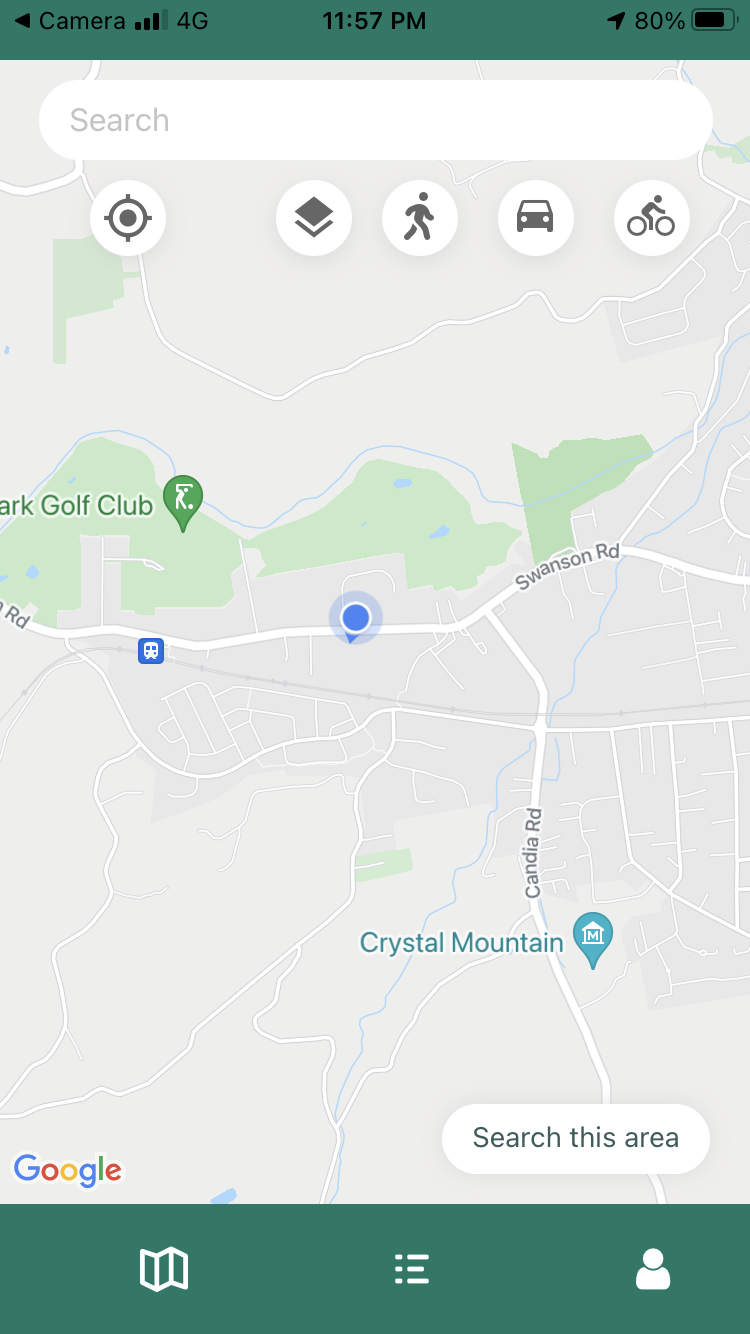
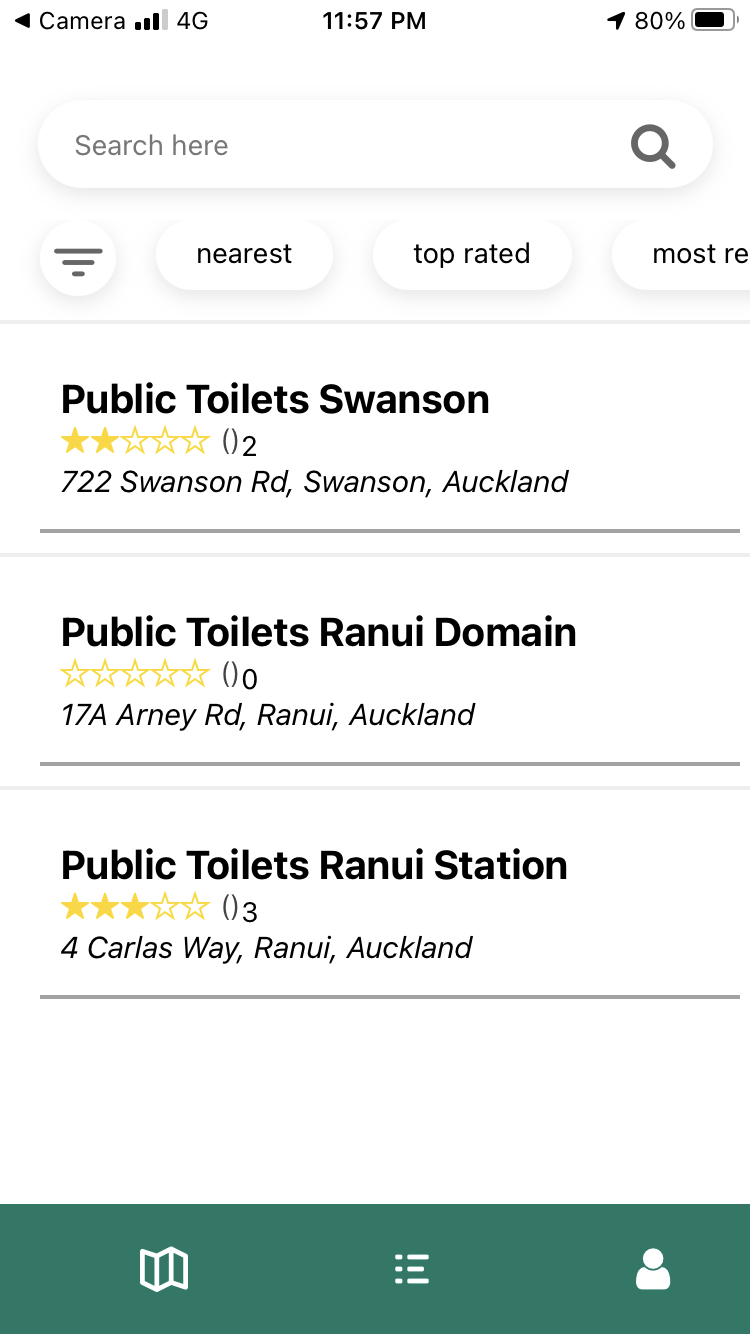
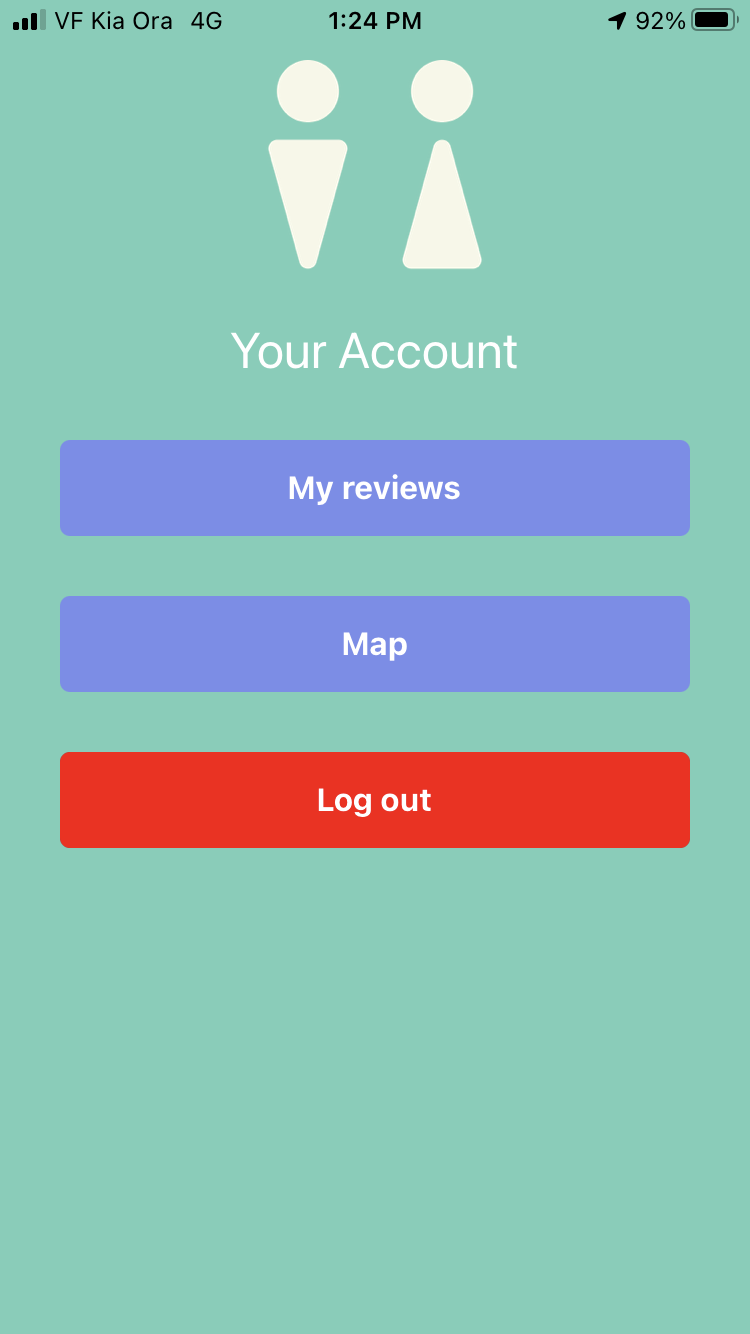

exp://ie-t32.anonymous.loocate-sprint-1-final-product.exp.direct:80
As covered briefly above, usability testing is the technique of choice in evaluating ways to improve the features and general functionality of the mobile application, Loocate, that is currently in early development. In the context of software development, usability testing provides feedback from typical users of a software on how ‘usable’ the software is (Wichansky, 2000).While the developers and others involved in developing the application might have their own ideas about how the application is used, the audience it is intended for serve a valuable purpose in providing feedback on what they want from the application, and the more tested the product, the better the general picture of what the typical user wants becomes (Xavier et al., 2001).
Specifically in the context of Loocate, the version of the project being used in usability tests is early in development, but with enough features to qualify as a minimum viable product. With that in mind, only the product owner and the development team of the project have had input in the design direction of the application. Having intended users of the application provide input via usability testing on their thoughts on the current functionality and design of the application, as well as suggestions on how to design it moving forward, will help improve feature iterations of the application.
Ethnography is a type of qualitive research methodology that is being applied to the usability tests being performed by the members of this report. Ethnography involves studying people in their ‘natural’ environment; that is, not in a formal lab setting, but conducting your qualitive research in places that they normally inhabit, going about their typical day. The goal is to see things from their viewpoint and doing so becomes easier in their own environment (Reeves et al., 2008).
Generalist usability testing and ethnography have now been covered above, but the specific methods and techniques that have been chosen to be employed for this report in the context of testing a software application are ethnographic interviews with intended users; ones specifically to understand the experiences they have while using Loocate. Ethnographic interviews are informal one on one interviews that employ the concept of ethnography, taking part in users partaking in the usability test in their natural environment, which could include their workplace, their home, or during a regular recreational activity of theirs to name some examples.
Ethnographic interviewers in these interviews try and let the user lead the conversation and avoid questions that tell the user what to do. Rather, questions are more reactive in nature; they are asked in response to the interviewer’s perception of the user’s body language and try and get the user to explain their experience with various facets of the application by getting them to talk about it themselves and how they feel using that particular aspect of the application (Allen, 2017; Gee & Ullman, 1998; Carter, 2007).
The environmental choice and interviewing techniques covered above are selected to avoid as much distortion and bias to feedback on the usability of the software application from the user participating. The point is to get the user’s honest unadulterated thoughts and experiences on the testing of the usability of the application, with environment and the interviewer playing as little part in their feedback as possible.
For analysing our feedback, we adopted the thematic analysis approach. Thematic analysis is a commonly used method in qualitative research, it is a process of organising your data in order to analyse and identify themes (Braun & Clarke, 2006). Given our method of a facilitated usability study for data acquisition, we chose the thematic analysis approach as it is considered the ideal approach for qualitative data analysis on interview transcripts.
To conduct this analysis, we used the 6-step process (Maguire & Delahunt, 2017), in conjunction with the qualitative data analysis software NVivo and an NVivo specific instructional video outlining this thematic analysis process (Ben Meehan, 2021).
Our interview transcripts were converted to a shorthanded format of codes, and the app was split into categories for ease of readability and recording of data. These were then collated into an excel document and imported into NVivo following an instructional video by Ben Meehan (2017). The reason for this is that each cell can be translated to a code, making it faster to assign codes in NVivo.
Initially the NVivo auto code feature was used. While this did provide a good insight into the NVivo software itself and a good overview of what features were being mentioned, it was found to be rather lacklustre. It failed to capture the essence of each point, leaving the generated codes and themes without meaning as shown in Figure 1 and Figure 2.
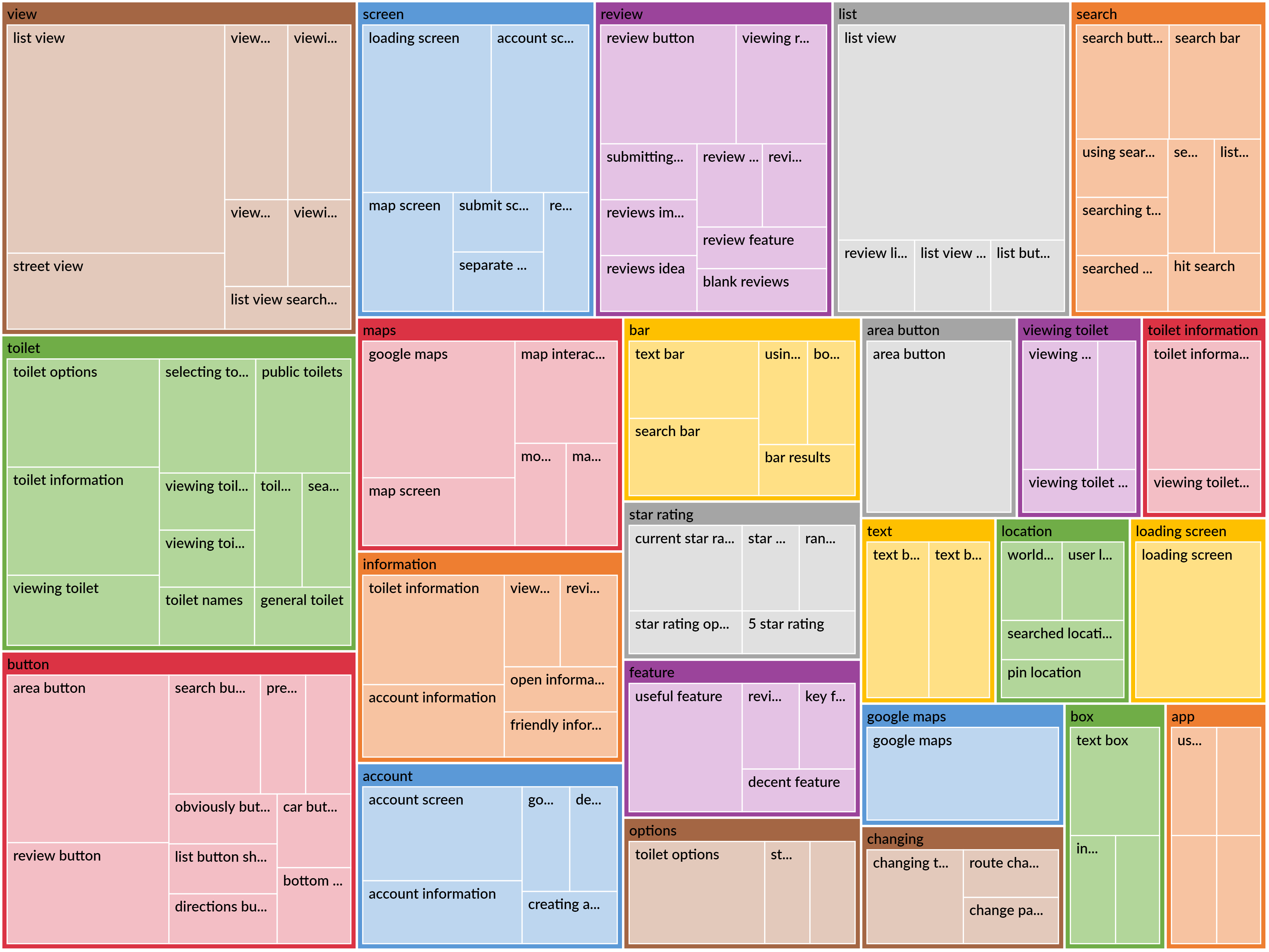
Fig 1. Initial Autocodes
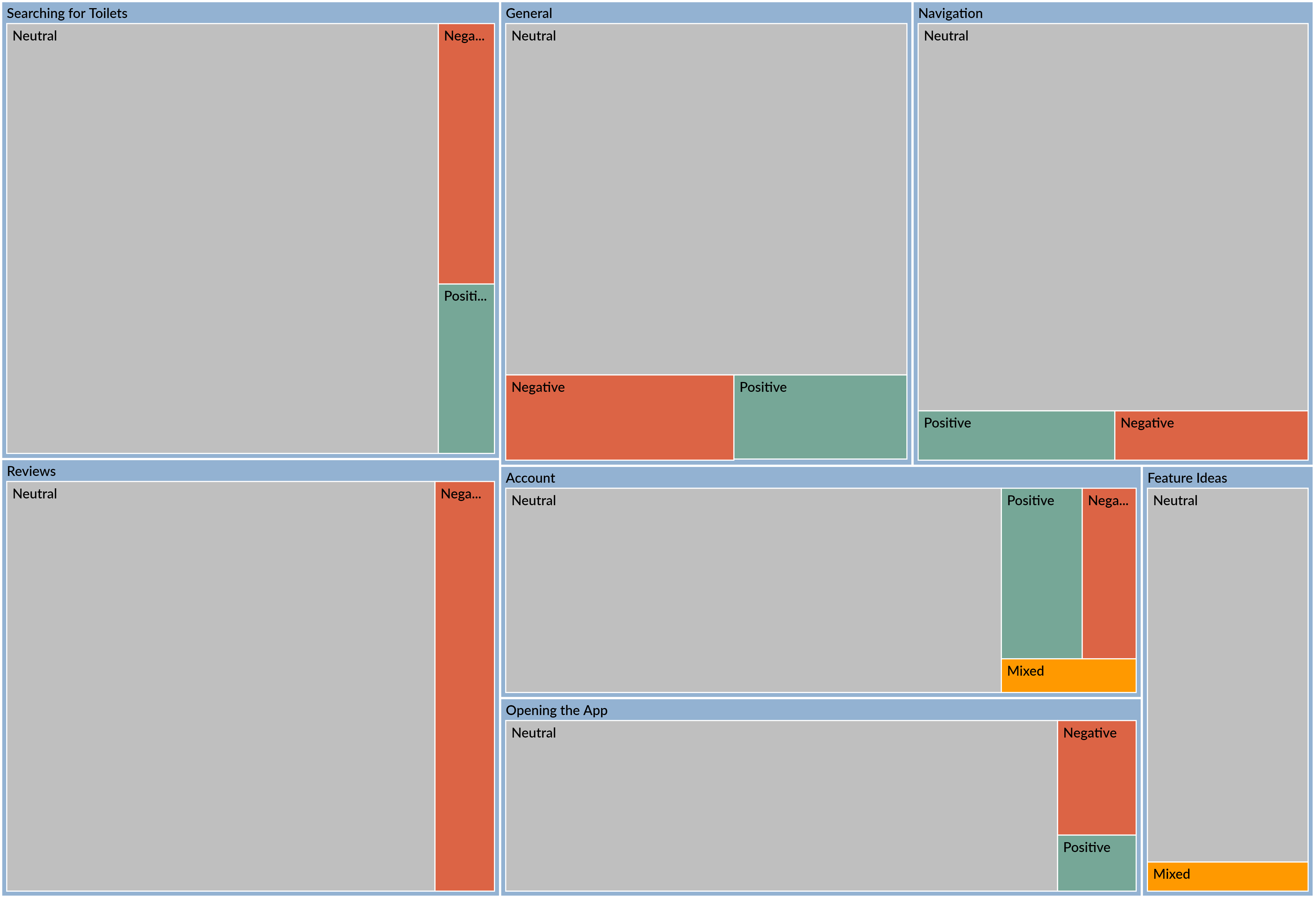
Fig 2. Initial Sentiment
Once we moved to manual coding, it started to provide a richness to the data, the codes had meaning, and themes started to emerge (Figure 3). Manual coding also helped with step 1 of the process, familiarisation (Maguire & Delahunt, 2017), as you had to assess every piece of data.
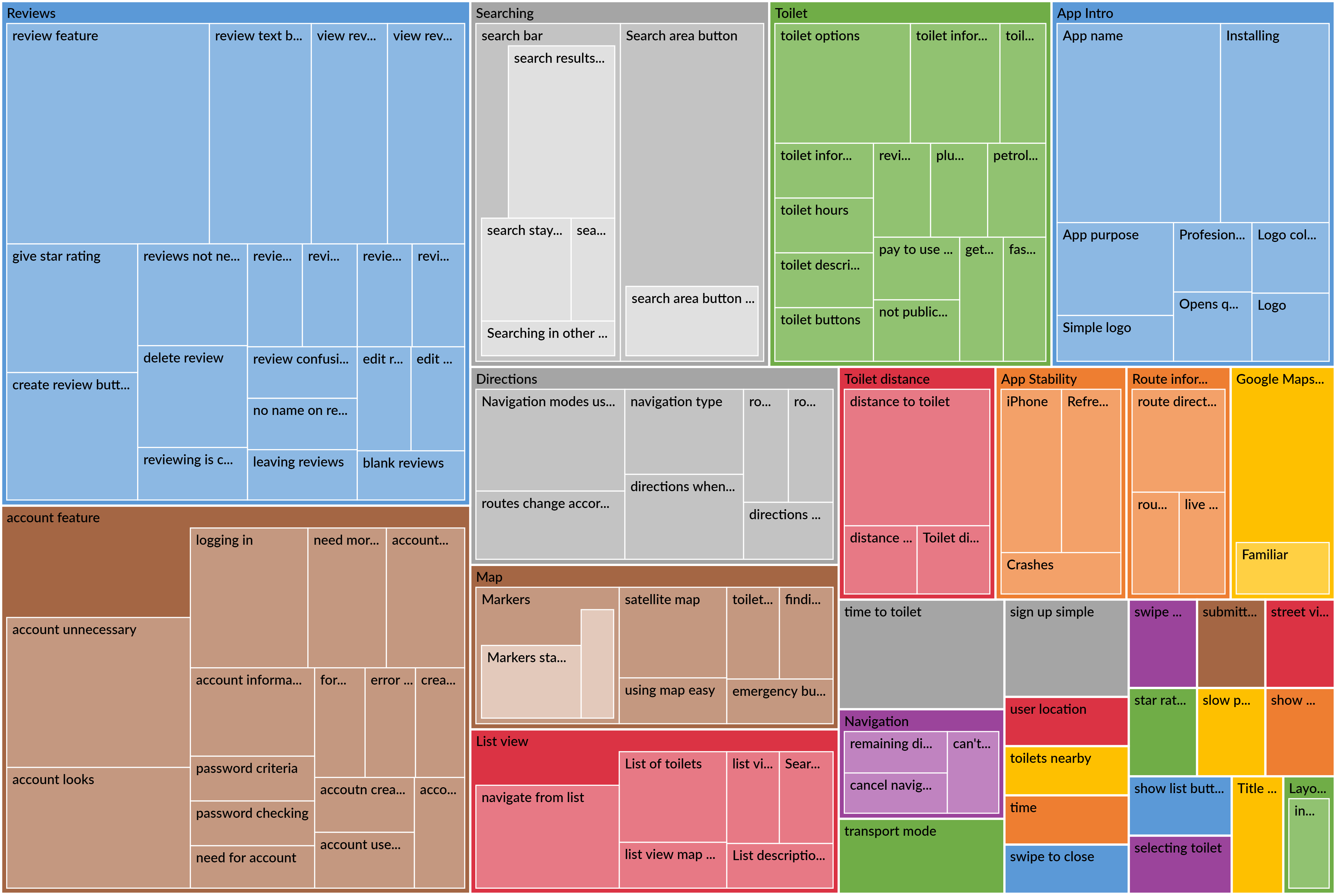
Fig 3. Part Way - Themes Starting to Emerge
Due to the amount of data points, we found it helpful to take an iterative approach to steps 2, 3 and 4 of the process, that is initial coding, generating themes, and reviewing themes (Maguire & Delahunt, 2017).
Once coding was complete, we finished extracting the themes and sub themes. A few different methods were employed to help identify the themes, word repetitions initially and then compare and contrast for refinement (Ryan & Bernard, 2003). With the results in Figures 4 and 5.
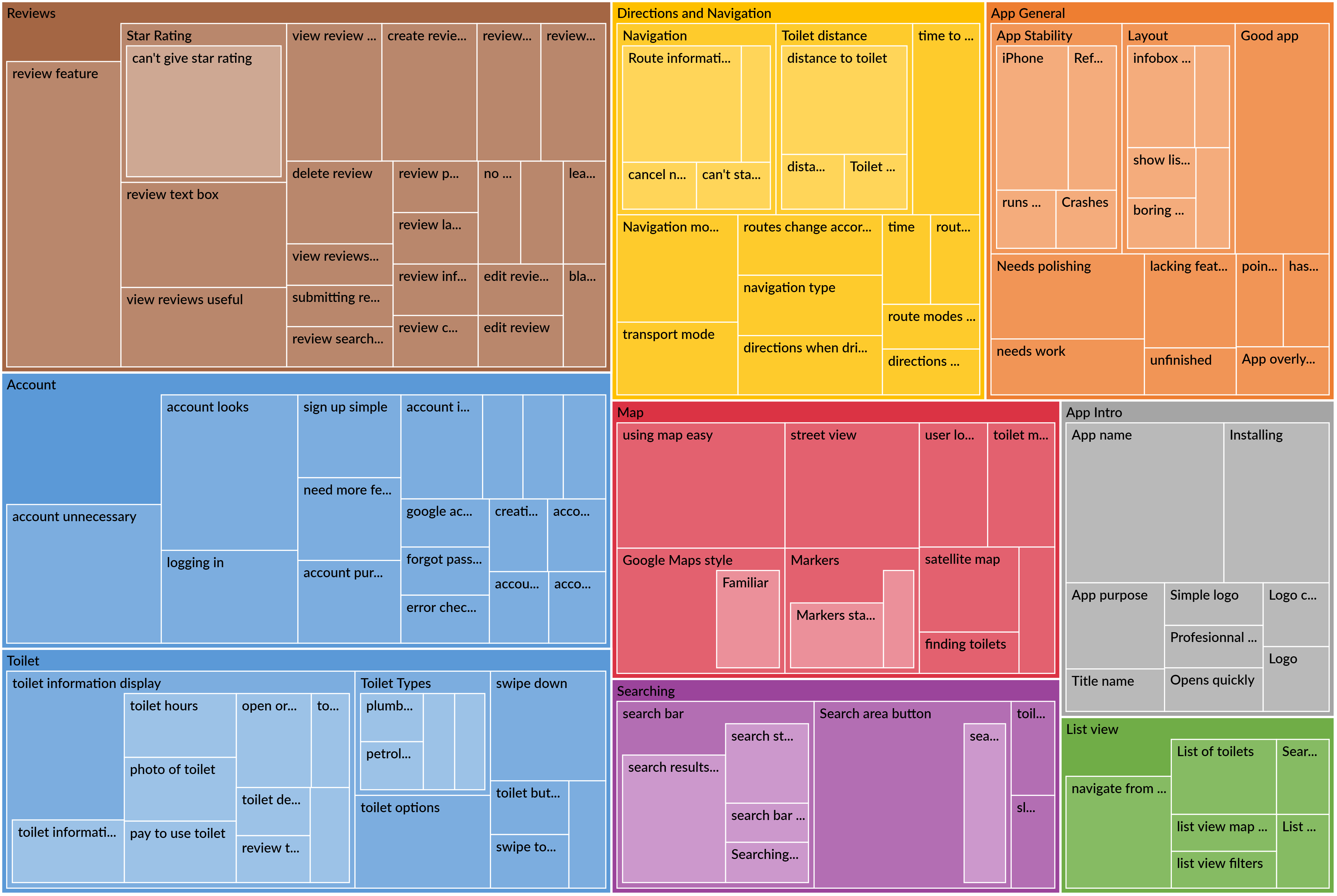
Fig 4. Coding Completed - Themes Identified
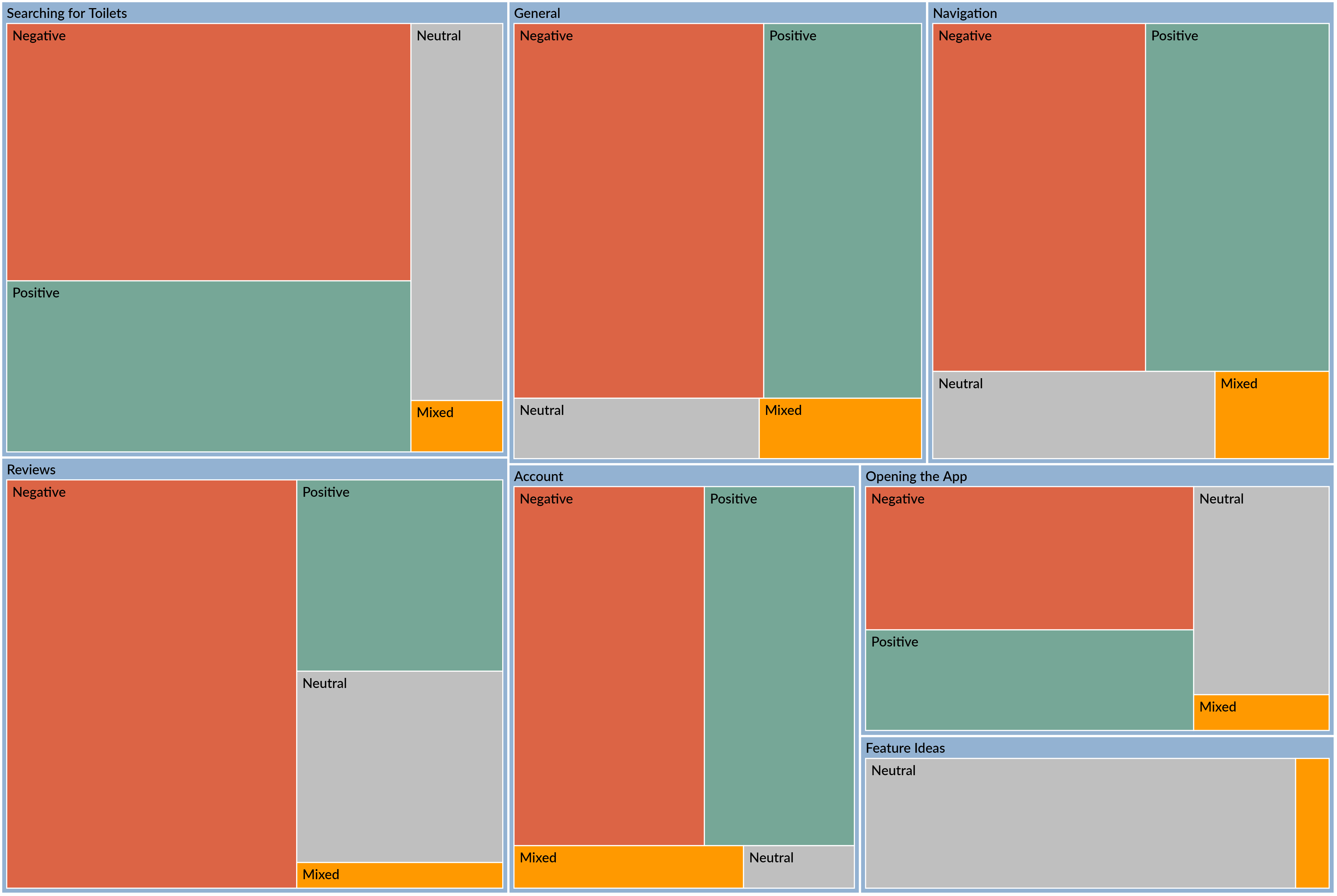
Fig 5. Sentiment after Coding
Some strong themes and sub themes were discovered during this analysis, harnessing some quality feedback for the developers. One note of interest is that some of the issues the development team were expecting to arise did not, and a lot of minor or un thought of considerations were mentioned quite a bit. This proves the invaluable nature of the feedback gathered through this analysis.
Although it looks like a predominately negative sentiment towards the app, it is important to also look at the amount of positive sentiment. A lot of the negative sentiment can be associated to the state of the apps development, whereas the positive sentiment gives a good insight into the app's future direction.
The review feature has been identified as having potential but needs some revision. It is mostly considered a useful feature but could be simplified. There are currently two prominent issues with the review system, the inability to assign a star rating when giving a review, and the review text box being too small and hard to see at the top of the screen.
Most people felt that creating an account was an unnecessary feature, but perhaps with more features it would be used. The general consensus was that the account system does look good and functions well.
The toilet information display could do with more options: toilet types (pay to use, disabled, unisex), toilet open hours, a review toilet button, and a photo of the toilet. The toilets that come up in the search aren’t always accurate, currently fast food restaurants and petrol station toilets do not show up, but plumbing stores do show as toilets.
The Map received mostly positive feedback; users felt the interaction with the map is intuitive, due to it being similar to google maps. However, the map could benefit from having a street view option.
This theme had two prominent areas of feedback. The different navigation modes (drive/walk/cycle) were commented as being a very useful feature that functions well. On the other hand, almost every participant mentioned that the distance and time to a selected toilet should be available.
The search area button was found to be a widely used and useful feature for quickly finding toilets near you, though given its functionality users felt it should be in a more prominent position on the display. The search bar results are not localised based on the user’s location, returning global search results annoyed users leading them to not use this feature.
A very common mention during the interviews was that the app name should be in the loading screen, as users were initially unsure of its purpose. The other piece of feedback in this theme relates to installing the app, even though this came up in the analysis, this will be excluded as it is part of the app being in development.
Users felt they should be able to start navigation to a toilet from the list view, rather than going back to the map to select the toilet and then navigate from there.
The app has some stability issues on older Android phones and iPhones. These issues are already known to the developers. Most participants enjoyed the app and were pleased with the overall experience.
Negative sentiment here can be credited to the search bar having issues and the positioning of the search area button. Some positive sentiment towards the location markers and ease of visibility.
Negative sentiment here is due to a lot of issues mentioned or missing features that were covered in the themes. Most users like the idea of the app and for the most part it does what it should and looks good, giving it some positive sentiment.
Lack of distance and time to toilet information was a strongly negative piece of feedback, most users felt that this is a necessary feature for this app. The positive sentiment comes from the implementation of the different transport modes available, users found these to be useful.
The reviews feature is still in development, the negative sentiment is due to some buttons not working properly because of this, particularly the inability to give a star rating. The review feature was generally viewed as a useful feature, giving it some positive sentiment among users.
Most people didn’t feel the need to create an account for this app, these responses were classed as moderately negative and are what contributes mostly to the overall negative sentiment of the account feature. Though not useful, users did feel the account feature was well executed in terms of user interface and look.
Most of the negative sentiment comes from the fact that there is no name on the loading screen. Users were pleased with the look and feel of the app on opening.
To conclude, this study first covered the specific methodology employed by the researchers of this usability study. First the methodology was covered, starting with an explanation into the concepts of usability tests and ethnography in general, followed by more specific ethnographic interviewing techniques that combine these two concepts. Through these specific techniques, an array of data in the form of user feedback was gathered, whilst reducing the bias of the environment and the interviewer’s own view on things, through interviewing the user in their natural environment and without providing too much information or guidance on the application’s use.
Secondly, concerning the findings and analysis, converting data gathered through these usability tests into analyzed data in Nvivo revealed that, in general, users had more negative things to say about the state of the application than positive, with each major theme of the application having more negative feedback than positive, but with no outright positive or negative theme. Furthermore, several different suggestions for each theme have been provided by users.
Finally, it was noted that this information gathered will be of use to help developers of Loocate make future design decisions centering around the analyzed data, with developers keeping positively viewed themes similar to how they are now, and negative themes to be carefully examined, and potentially adjusted or discarded (with the caveat that the application was in early development, so some of the negative feedback will not necessarily take this into account, as this information wasn’t clearly provided to users).
Allen, M. (2017). Ethnographic Interview. In The SAGE Encyclopedia of Communication Research Methods. https://dx.doi.org/10.4135/9781483381411.n168
Carter, P. (2007). Liberating usability testing. Interactions, 14(2), 18-22. https://doi.org/10.1145/1229863.1229864
Gee, M. K. & Ullman, C. (1998). Teacher/Ethnographer in the Workplace: Approaches to Staff Development. Lake County Coll. https://eric.ed.gov/?id=ED423721
Reeves, S., Kuper, A., Ayelet, H. & Hodges, B. D. (2008). Qualitative research methodologies: ethnography. BMJ, 337(7668). https://doi.org/10.1136/bmj.a1020
Wichansky, Anna M. (2000). Usability testing in 2000 and beyond. Ergonomics, 43(7), 998-1006. https://doi.org/10.1080/001401300409170
Xavier, F., Natalia, J., Constantine, L. & Windl, H. (2001). Usability basics for software developers. IEEE Software, 18(1), 22-29. https://doi.org/10.1109/52.903160
Braun, V., & Clarke, V. (2006). Using thematic analysis in psychology. Qualitative Research in Psychology, 3(2), 77–101. https://doi.org/10.1191/1478088706qp063oa
Maguire M, Delahunt B (2017) Doing a thematic analysis: a practical step-by-step guide for learning and teaching scholars. All Ireland Journal of Teaching and Learning in Higher Education 8:3351– 3364. https://ojs.aishe.org/index.php/aishe-j/article/view/335
Ben Meehan. (2021, February 16). Conducting Reflexive Thematic Analysis using NVivo [Video]. YouTube. https://www.youtube.com/watch?v=YPeMxd0bySU
Ben Meehan. (2017, April 20). Import from Excel to NVivo [Video]. YouTube. https://www.youtube.com/watch?v=wU_Tw6h53vY
Ryan, G. W., & Bernard, H. R. (2003). Techniques to Identify Themes. Field Methods, 15(1), 85–109. https://doi.org/10.1177/1525822x02239569