Introduction
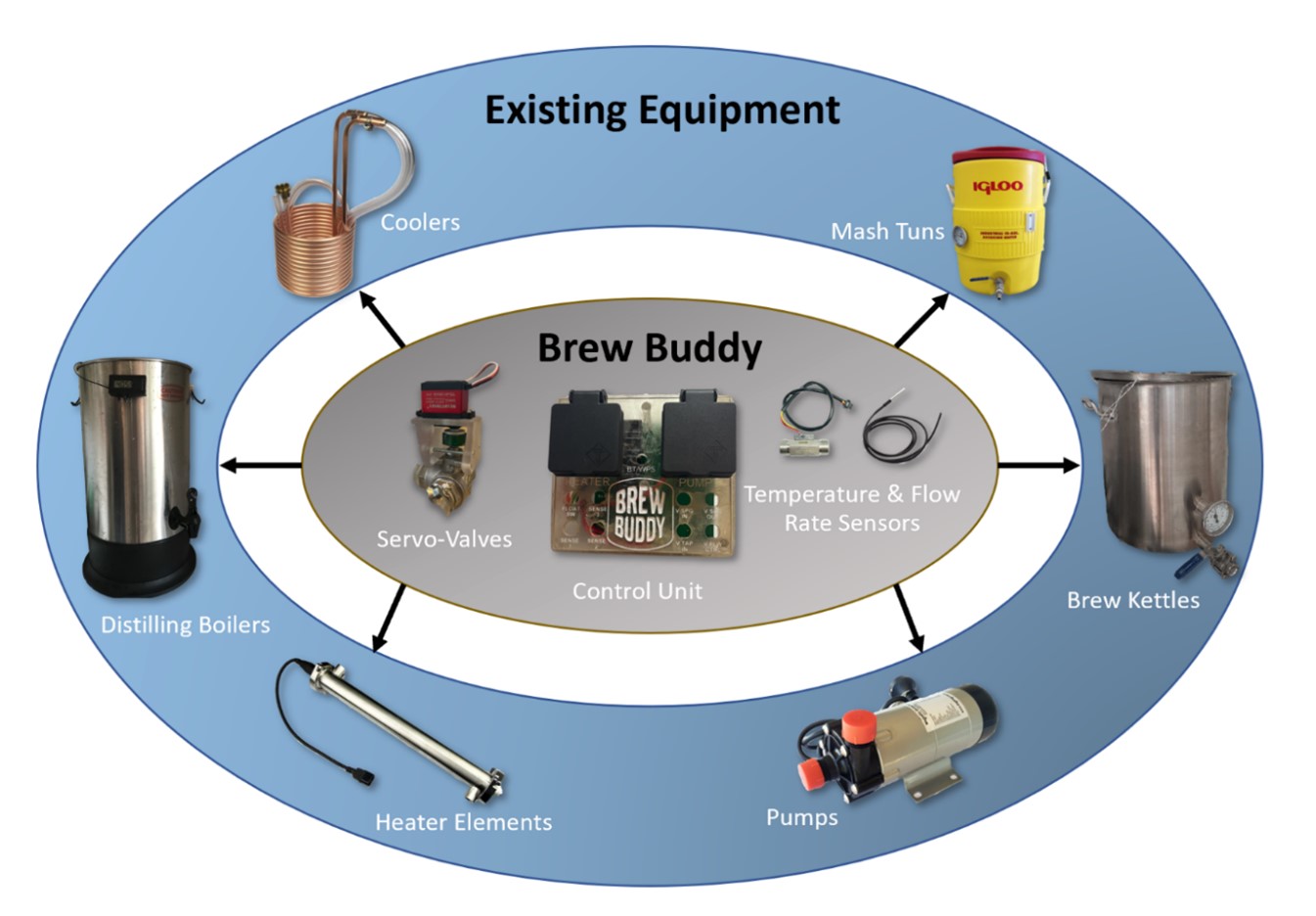
Brew Buddy is an autonomous control system that allows home brewing enthusiasts to add automation to their setup utilising their existing equipment in a semi-modular fashion; and is designed to be adaptable and scalable from small to medium sized home breweries, all controlled via a proprietary web-app. It provides users with automation functions that are not currently available on the home brewing market, releasing them from the tedious process of manual brewing with a simpler implementation and without having to invest in an all-in-one solution.
The idea for Brew Buddy hatched from a team of home brewing enthusiasts, that through their own experience have discovered a niche gap in the home brewing industry for retrofittable brewing automation software. The project team is made up of:
- Samuel Ward - BEng & BCIS Student
- Mike Emmerson - BEng Student
- Jacob Boon - BEng Student
- Minh Nguyen - BCIS Project Supervisor
- Jeff Kilby - BEng Project Supervisor
This portfolio details the journey of the Brew Buddy project over the year, from idea to fruition.
Planning & Control
Planning
Our project’s aim is to develop an automated control system for hobbyist home brewing that is controlled via an app and minimises the requirement for user interaction as much as practicable. Home brewing can take a long time and requires frequent monitoring, we wish to provide a solution that eliminates the need for constant monitoring of the brew through the addition of automation to existing equipment, making the brewing process more enjoyable for experienced brewers, and less overwhelming for beginners.
Our project goal was to deliver a viable market product over the course of two Semesters. This would be achieved through the following high-level objectives identified during our planning phase:
- Simplify the brewing process, requiring the least amount of user interaction as possible.
- Interface with the users Wi-Fi network and be controlled through either a mobile or web application.
- Continuously update with live sensor information and progress tracking.
- Allow the user to input their desired recipe information into the app which defines the timings, temperature, and flow rates that the system will operate within.
- To be semi-modular and be able to interface with existing home brew setups.
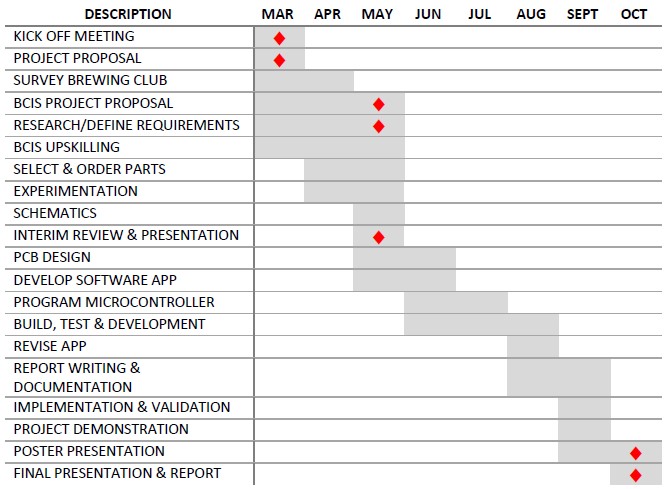
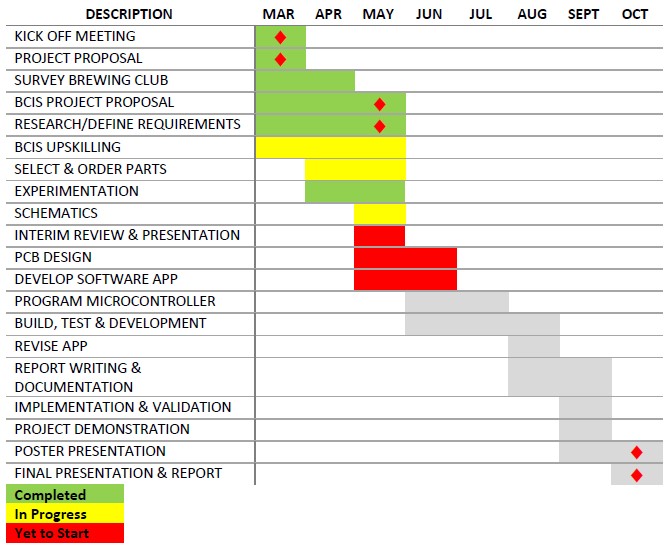
There was a significant amount of planning involved in the early stages of Brew Buddy, ranging from early brainstorming concepts and diagrams, to schedules and research plans. These can be found in the index under Planning & Control
Control
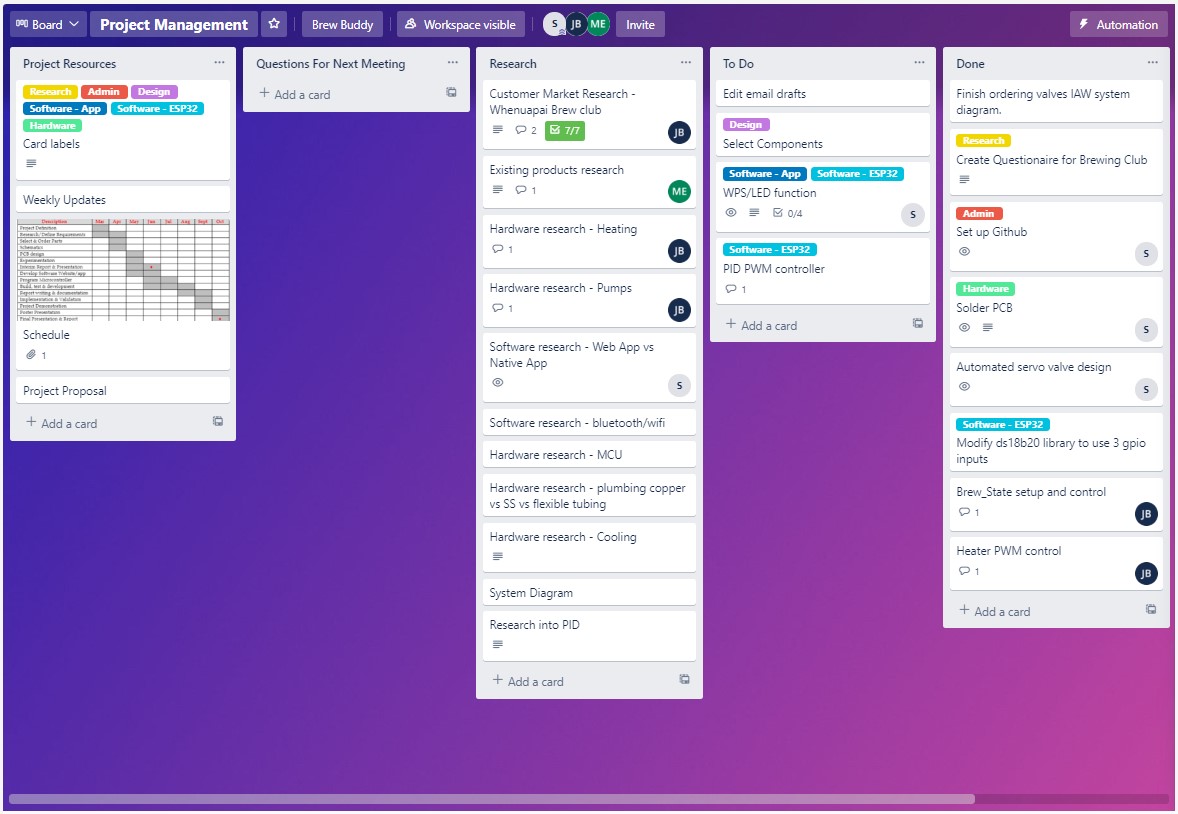
To assist with our project mangement and tasking, we created a Trello board for tracking work.
Market Research & Survey
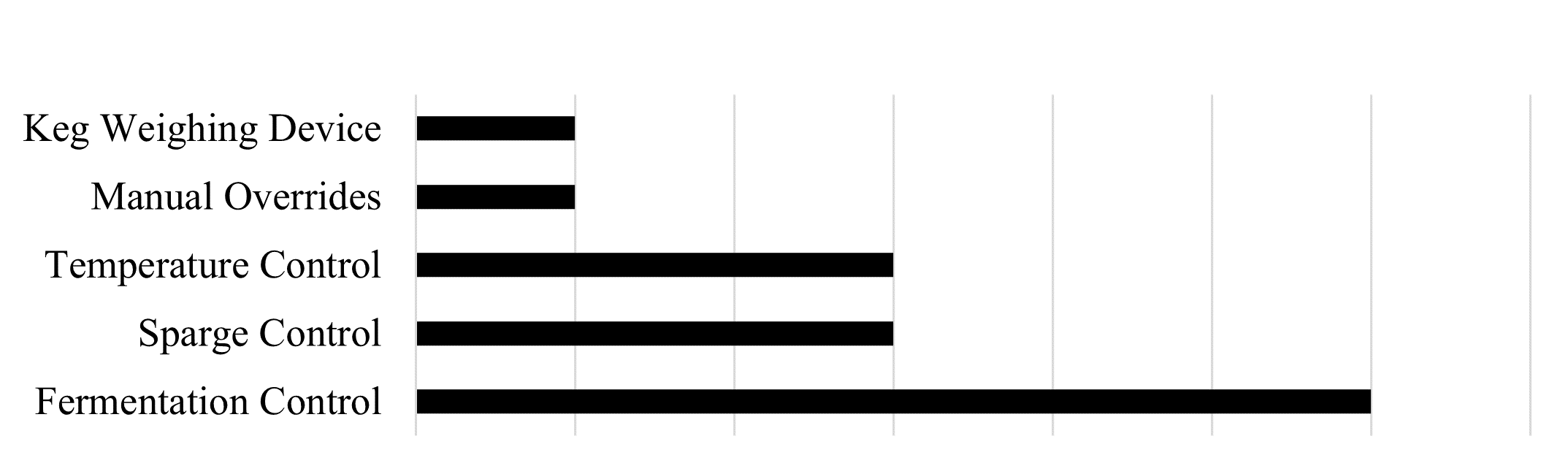
To help us determine our system requirements and target areas we engaged with the Whenuapai Brew Club to give us some market feedback in the form of a survey. This deemed to be very helpful and highlighted some areas of improvement we had not considered.
Using this feedback along with our own experience we identified the following focus points of the project Brew Buddy: Safety by eliminating the need to move vessels containing hot liquids; time saving by being more hands off; and a further level of automation than currently available through temperature control, sparge automation, and cleaning automation.
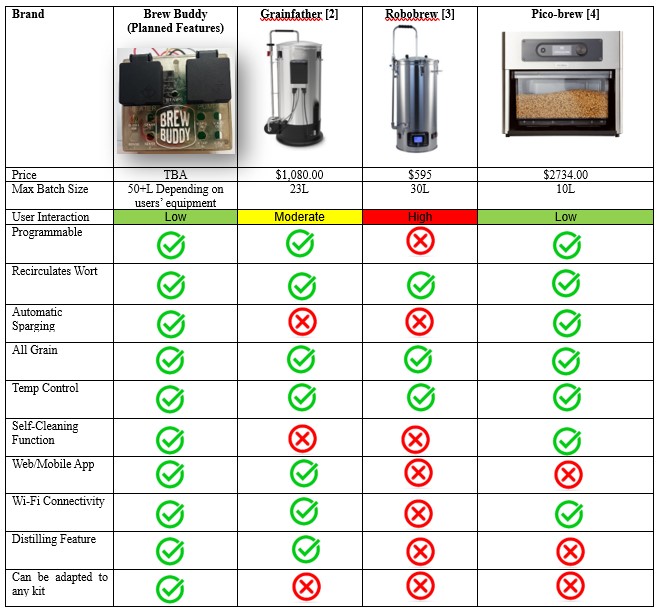
We also looked in to existing market products, comparing them to our concept of Brew Buddy.

Planning & Control Artefacts
Planning & Control File Index
Brew Buddy Project Proposal
Brew Buddy Mid-Project Status Report
Brew Buddy Lean Canvas V1.0
Brew Buddy Work Breakdown Structure
Mid-Project Presentation
Communication & Teamwork
Communication
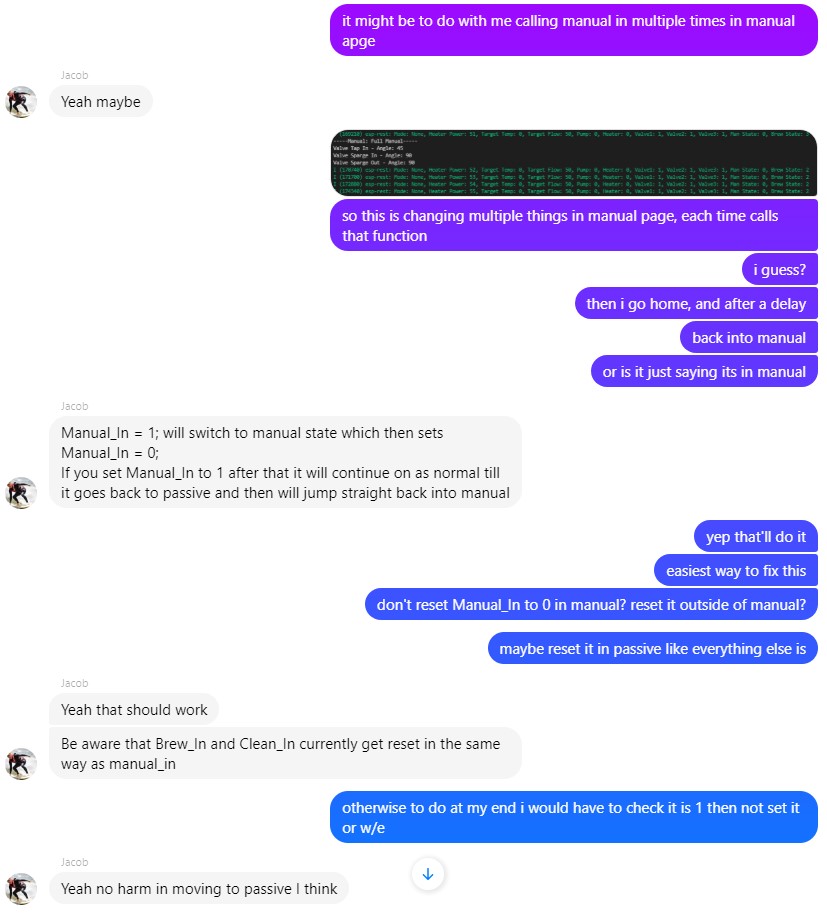
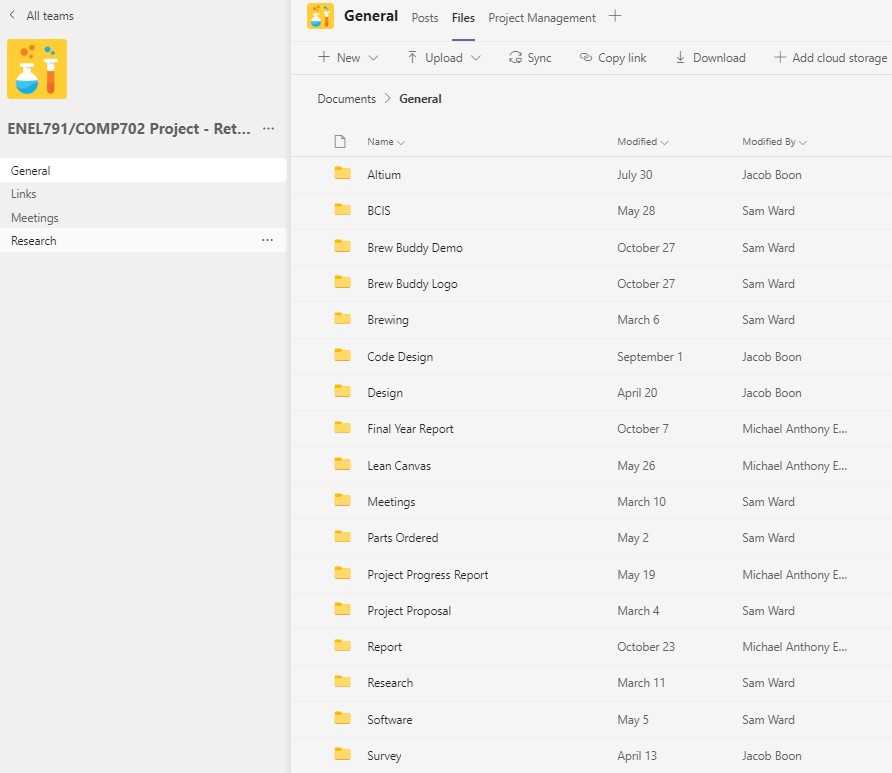
Almost all communication internally amongst the team was relatively unformal and done over Messenger, with MS Teams used where voice chat was necessary. This covered everything from planning, ideas, decisions, research, coding, or fault finding. Any findings that needed sharing e.g., research docs or diagrams were uploaded to the MS Teams group in the appropriate folder.
Communication with the wider project team (supervisors and lab technician) was usually via email, with most of the meeting’s bar a few early on done over MS Teams. Throughout the project interaction with our supervisors was intentionally kept to a minimum, the project team had a very good understanding of the project and a fair amount of industry experience, so were happy to manage the project ourselves, keeping supervisors updated where appropriate.
This project had no industry sponsor. Early in the project we approached the Whenuapai Brew Club and had them acting as industry sponsor in terms of helping with project direction, however beyond the initial scoping of objectives all project design was done internally. Correspondence with the Whenuapai Brew Club was via email, these emails have not been included in the project portfolio for privacy reasons however a summary of the emails and results has been included in the planning section.
Initially I had planned to take thorough meeting minutes, drafting up a template for use. However, meetings ended up being so informal, with discussion over Messenger or voice chat, and any meet ups were not really structured as meetings, that taking minutes never really caught on or felt necessary.
A few emails and meeting minutes can be found in the index under Communication & Teamwork.
Teamwork
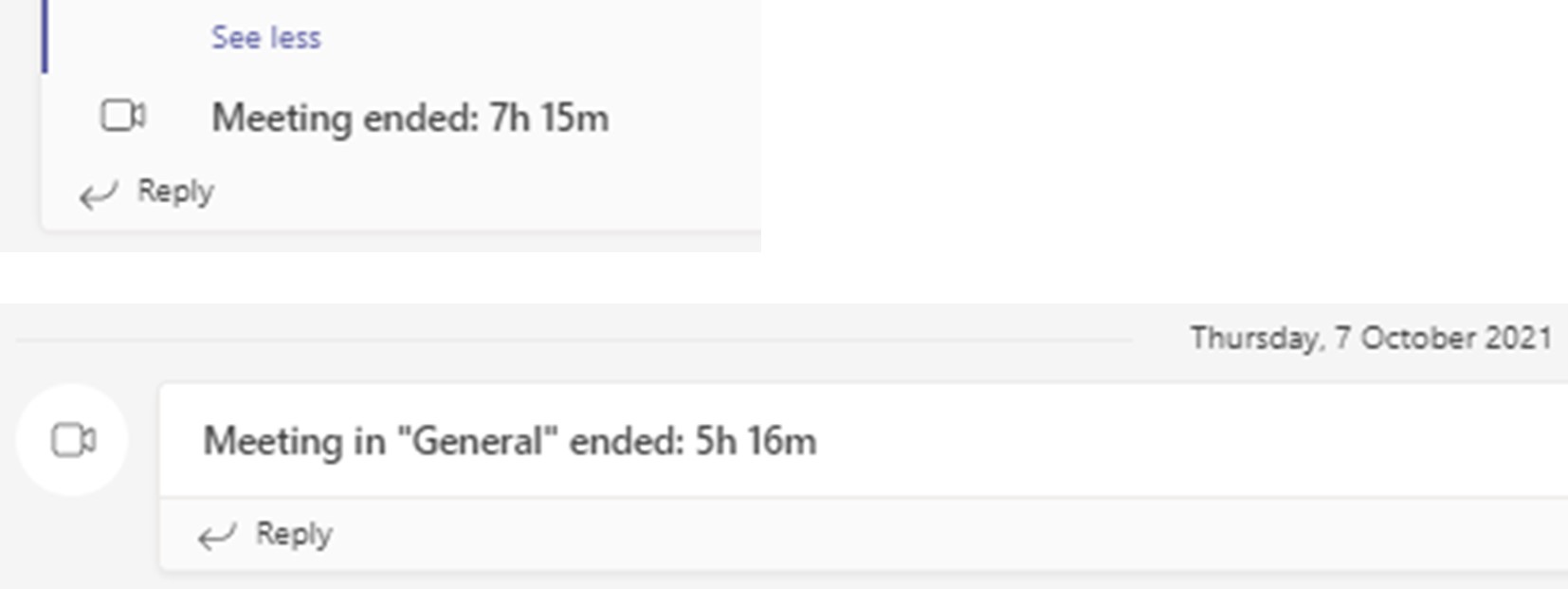
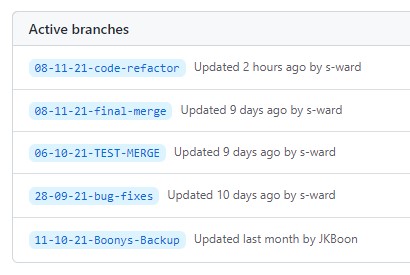
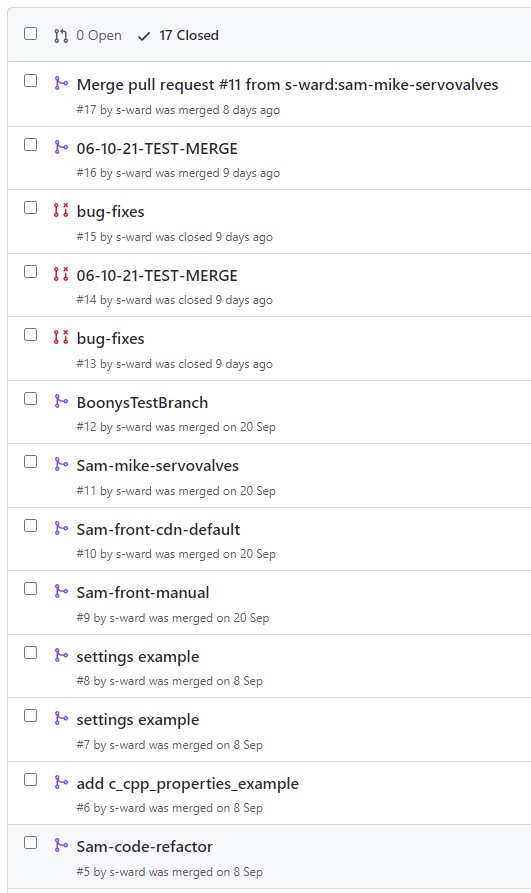
In terms of teamwork, the best example would be the use of VS Code GitHub integration for checking out each other’s branches. Often there would be long MS Teams sessions, using screen sharing and adopting mob programming practices, especially when it came to branch merging which was carried out as a team.
Research
A ton of research was involved in this project ranging from our own test brews, market research, research into feasibility of certain aspects, component research (valves, pumps, heaters etc.), PCB design, microcontroller and IDE research. Based on our project objectives, the following research topics were outlined:
- Market survey in conjunction with the Whenuapai Brew Club to establish market needs and design decisions for our system.
- Current similar systems and equipment available on the market.
- System ideas and solutions to the frustrations faced with manual brewing.
- Research in to heating and heater options.
- Components required for building the system.
- Experimentation and testing.
- Power considerations and NZ electricity standards.
An in depth summary of this research can be found in my engineering report at Chapter 2: Research, and associated documents, as well as various early stage mock-ups and designs, in the index under Research.
Development
Brew Buddys development could be considered as three seperate parts: the system design, the PCB and circuit design, and the software consisting of both the microcontroller algorithms and the App.
System Design
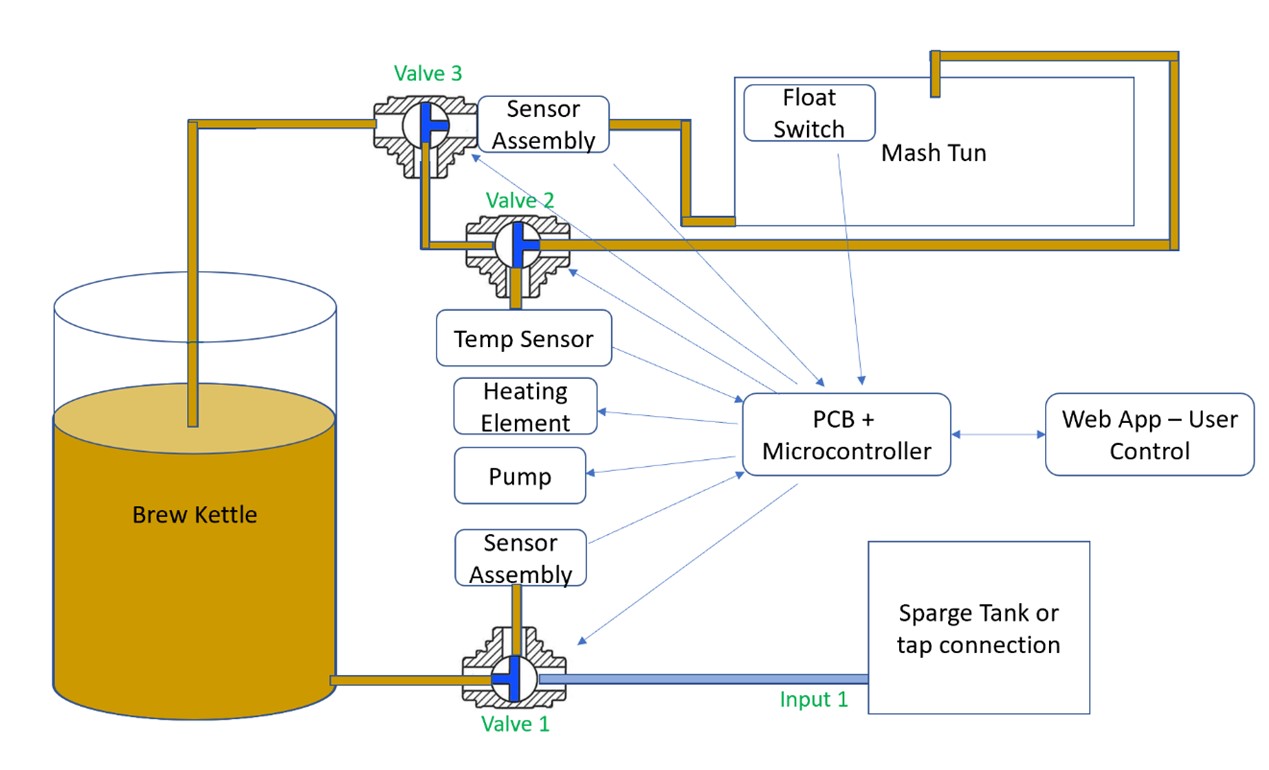
The system design is the interface between Brew Buddy and the existing brewing equipment such as heaters and pumps. Most of this is covered as part of the research chapter, but an overview of Brew Buddy's system functionality can be found in the engineering report under Chapter 3: Design Philosophy as well as some design documents and schematics in the index under Development > System Design.
PCB and Circuit
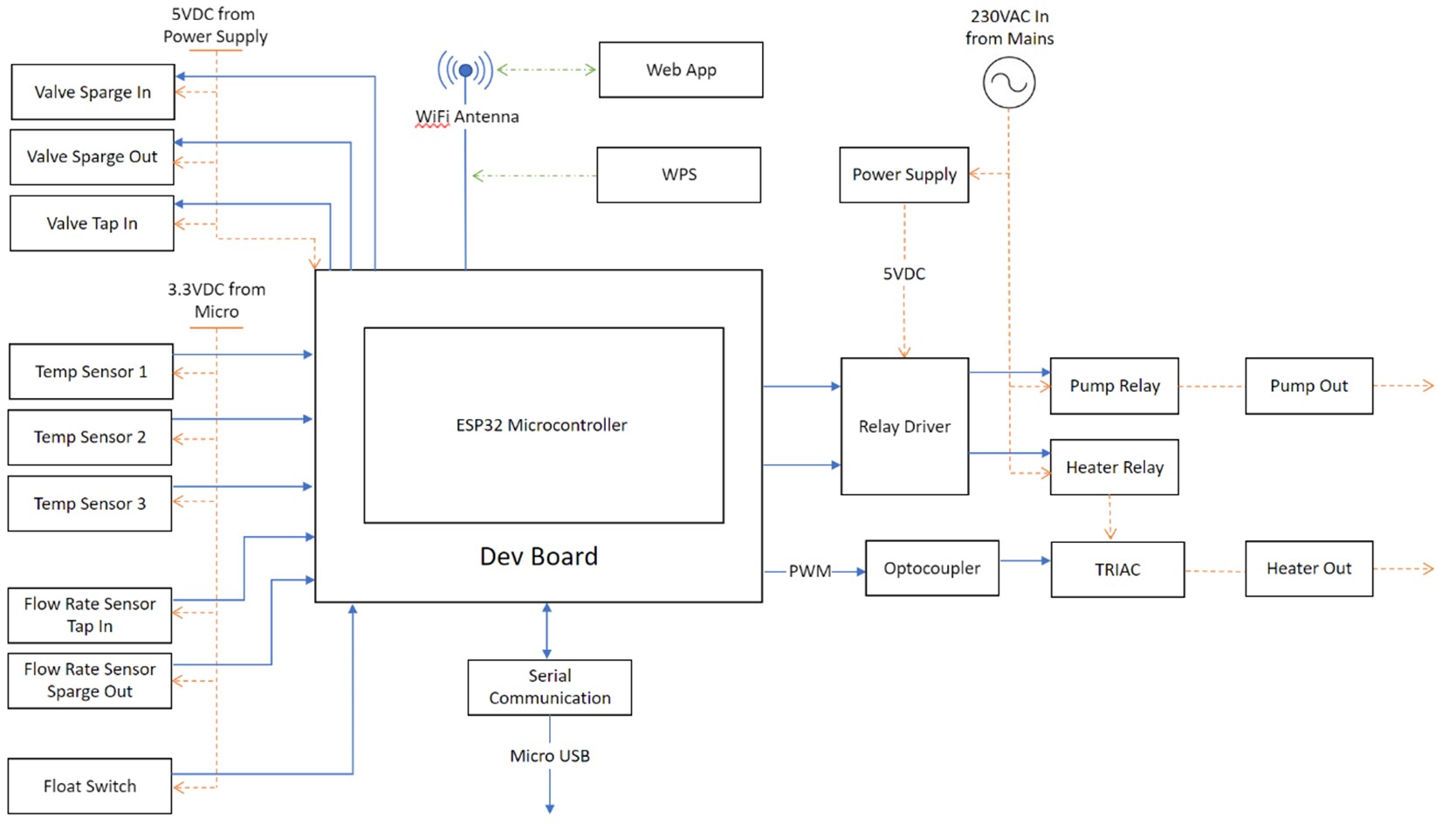
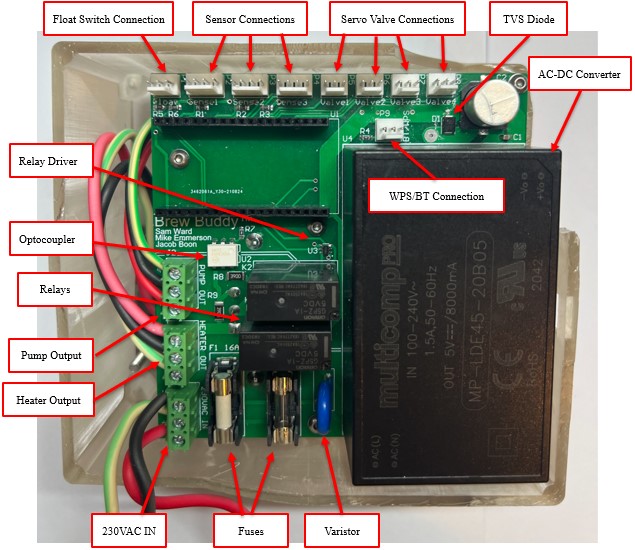
Brew Buddy's circuit and PCB design and construction was a significant part of this project, a detailed overview of the circuit and PCB design and the work involved can be found in the engineering report under Chapter 4: Technical Specifications and Chapter 5: PCB Design respectively. Relevant documents are located in the index under Development > PCB Design.
Software
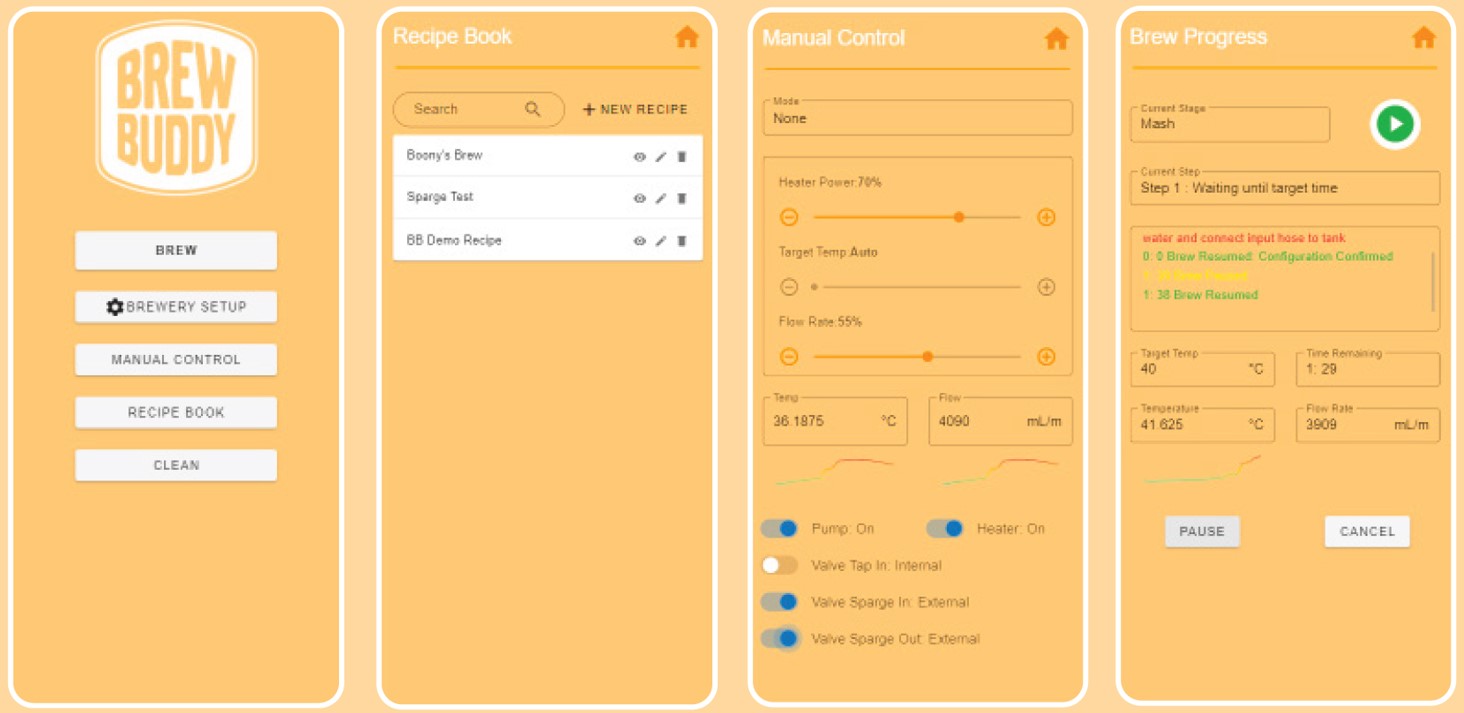
The most significant and essential part of the project is the software for both the microcontroller algorithms, and the front and back end development of the App. This was also the biggest part of the project in terms of work and time involved. The microcontroller software is briefly outlined in the engineering report at Chapter 6.1: Microcontroller Architecture, and the App is covered in detail from Chapter 6.4 onwards, including code examples and details on the interactive prototype.
Microcontroller development documents can be found in the index under Development > Micro Code Design , and the GitHub repo, hosted frontend, and interactive prototype can be accessed from Useful Links on the left.
Quality Assurance
Quality assurance was applied throughout the project such as peer reviewing, use of SVN, and hardware testing.
Git was the main tool used for quality assurance of the software. VS Code GitHub integration was utilised, with individual feature branches being used, as well as test branches for merging. All code was peer reviewed before a merge, and merges were done as a group so any conflicts could be easily resolved there and then. This was briefly outlined under Teamwork.
For hardware testing, we each had our own esp32 microcontroller and would test components individually before testing the system in its entirety. Circuit design was peer reviewed by the team to ensure no dangerous mistakes were overlooked, before being submitted to the AUT lab technician Justin for approval and ordering. Relevant email is attached here.
Some of this is covered in the engineering report under Chapter 6.3: Development Environment, and any relevant documents are located in the index under Quality Assurance.
Milestone Artefacts
Project Proposal
Status Report
Project Poster